Finding Mentor Applications to Review
There are two places to find a list of Pending Mentor Candidates: Reports, or the CBM Membors Panel.
The Pending Mentor Candidates Report
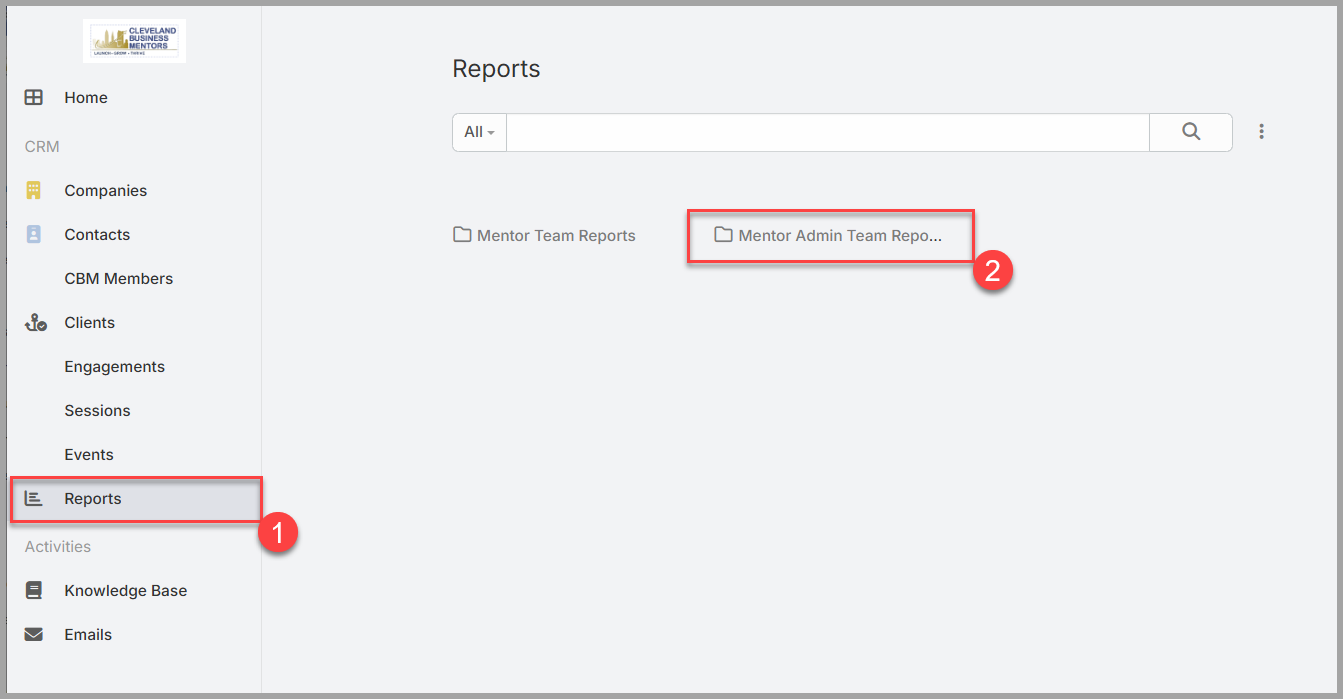
The Reports page provides a number of reports that may be useful, and they are pre-configured to show all Pending Mentor candidates. To access the Pending Mentor Candidate report:
- Click on the Reports link on the left side of your screen.
- Select the Folder “Mentor Admin Team Reports”
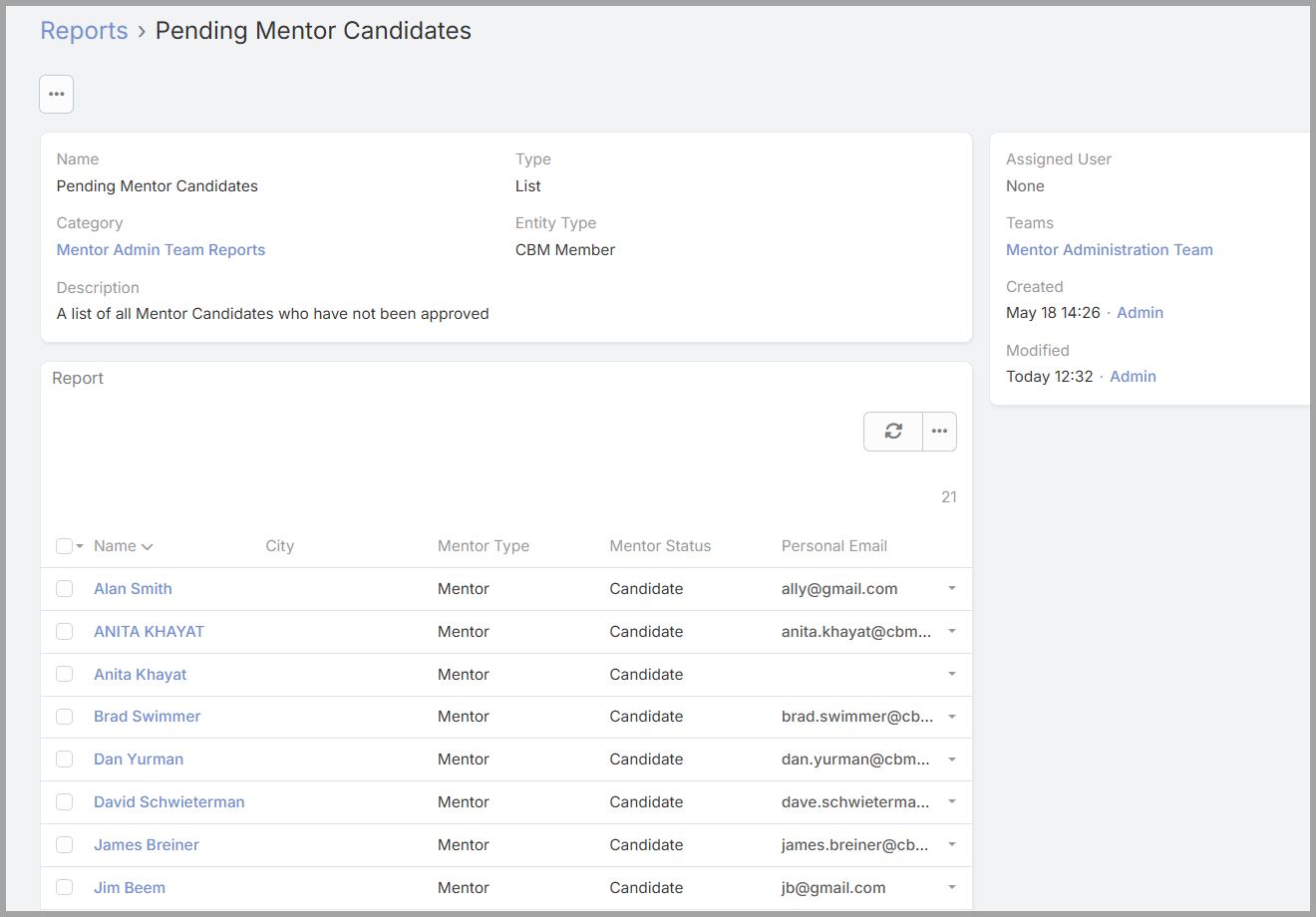
- Click on “Pending Mentor Candidates” to display the report.
The CBM Members List
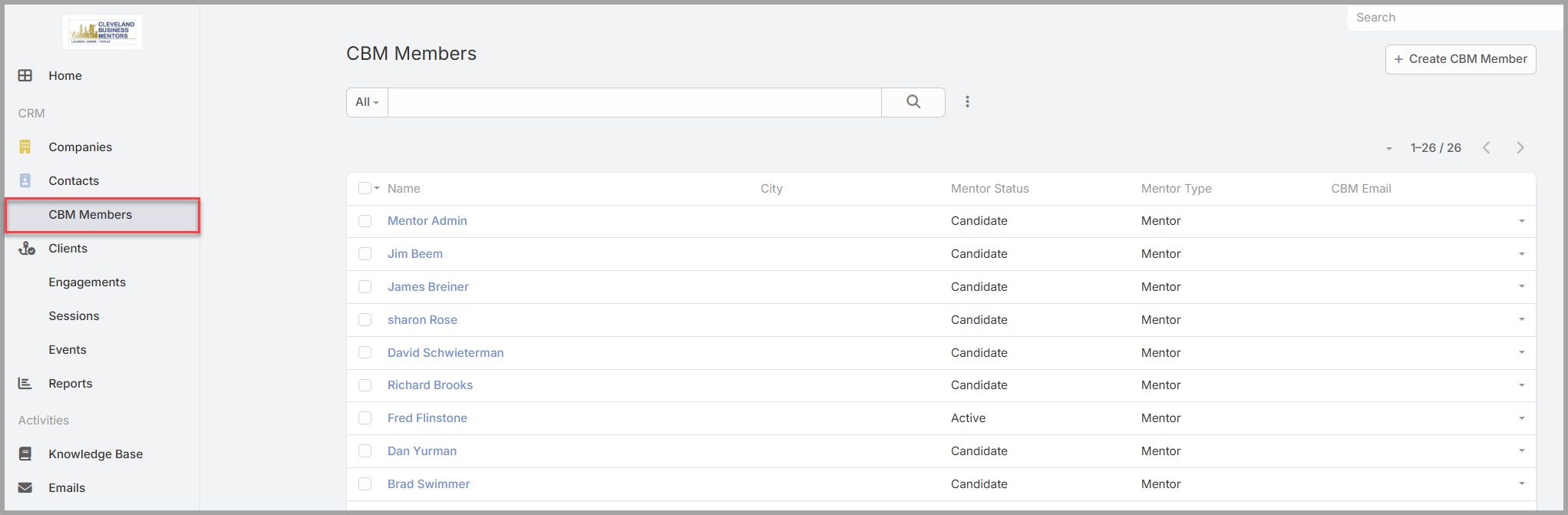
The CBM Members list shows a list of all members including Candidates and can also be used to review new Mentors. It also provides user filtering and searching if you are looking for a specific Mentor or Candidate.
Searching and filtering.
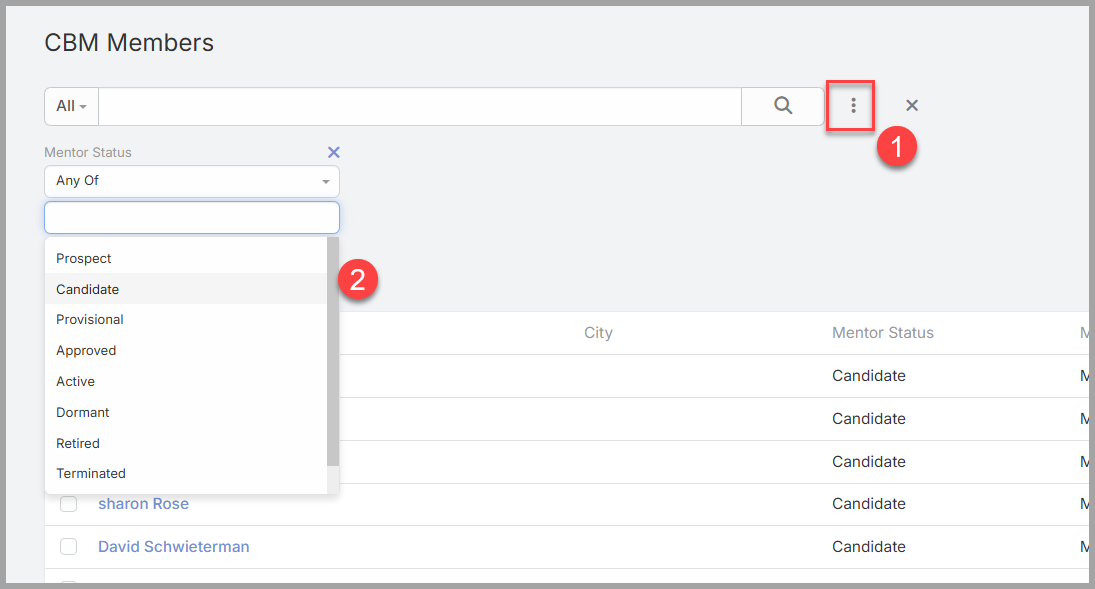
If you want to filter the Member list on one or more Mentor status, you can use the filtering tool. Click on the “three dot menu” (1) and select the filed you would like to use in your filter.
Then select one or more status values from the drop down list.
Regardless of what method you use, once you locate the Mentor Candidate that you would like to review, simply click on the Mentor Name to display the details.
Mentor Status Values
The following list describes each Mentor status and its meaning.
- Candidate— A new application has arrived. The person has submitted the website form but the Mentor Review Team has not begun the review process.
- Under Review —The new applicant has begun the review process, but has not yet been granted a Provisional approval.
- Provisional— The application has passed an initial review and is moving through the on-boarding process before a final approval is granted.
- Approved— The candidate has been accepted and has completed on-boarding training, but is not yet ready for solo mentoring.
- Active— The candidate has been approved and is ready to provide solo mentoring services.
- Dormant— A mentor who was previously Active has become inactive. Dormant records may surface in your queue when a re-evaluation or reactivation decision is needed.
- Retired— The previously active mentor has decided to retire and is no longer accepting new Clients.
- Terminated— The Active Candidate has been Terminated for some type of Breach of Ethics or Terms and Conditions.
- Declined— the candidate application was declined.
There are four Mentor Status values that should be actively reviewed by the Mentor Review Team:
- Candidate
- Under Review
- Provisional
- Approved
- Dormant