Adding Attendees to a Session
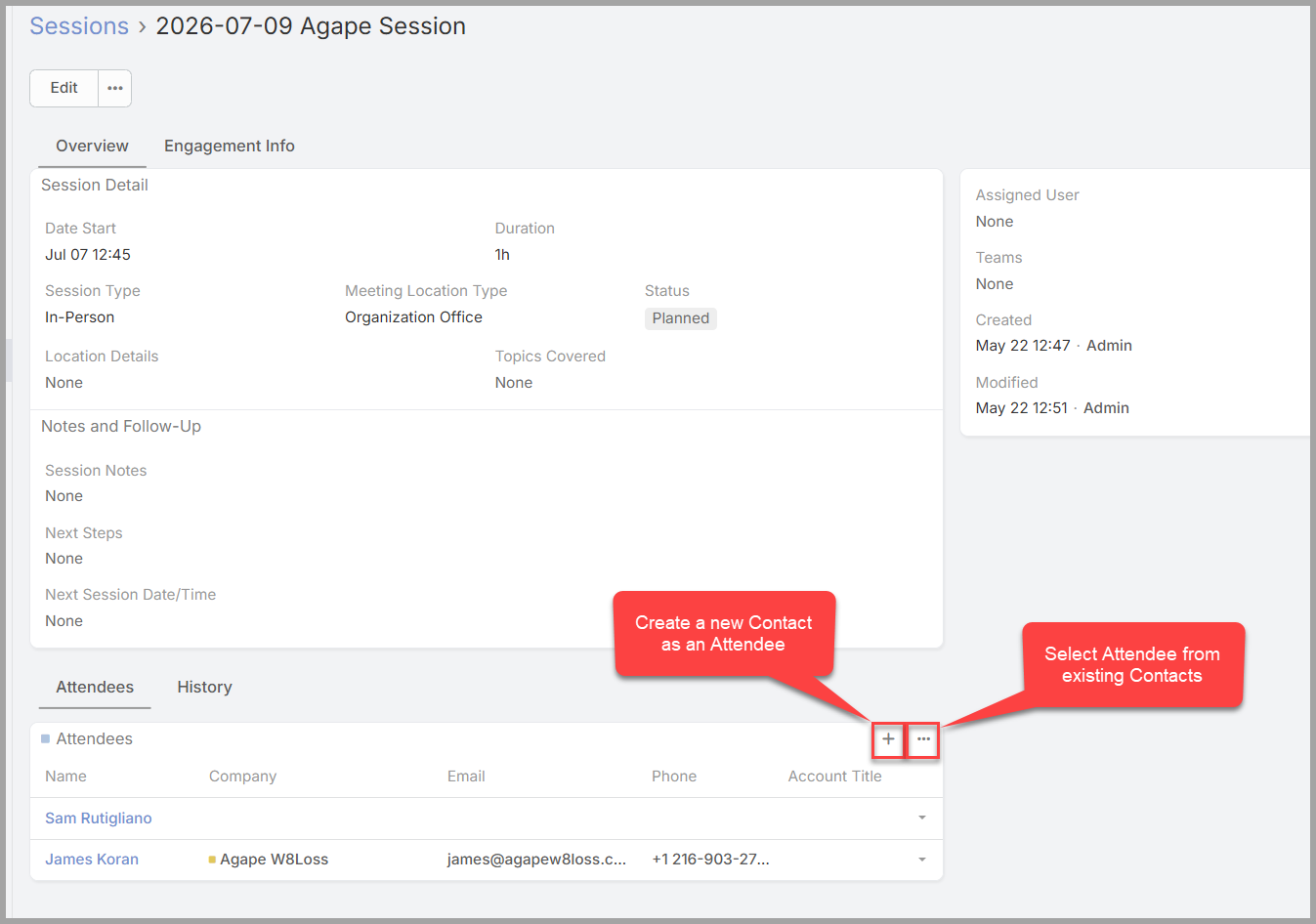
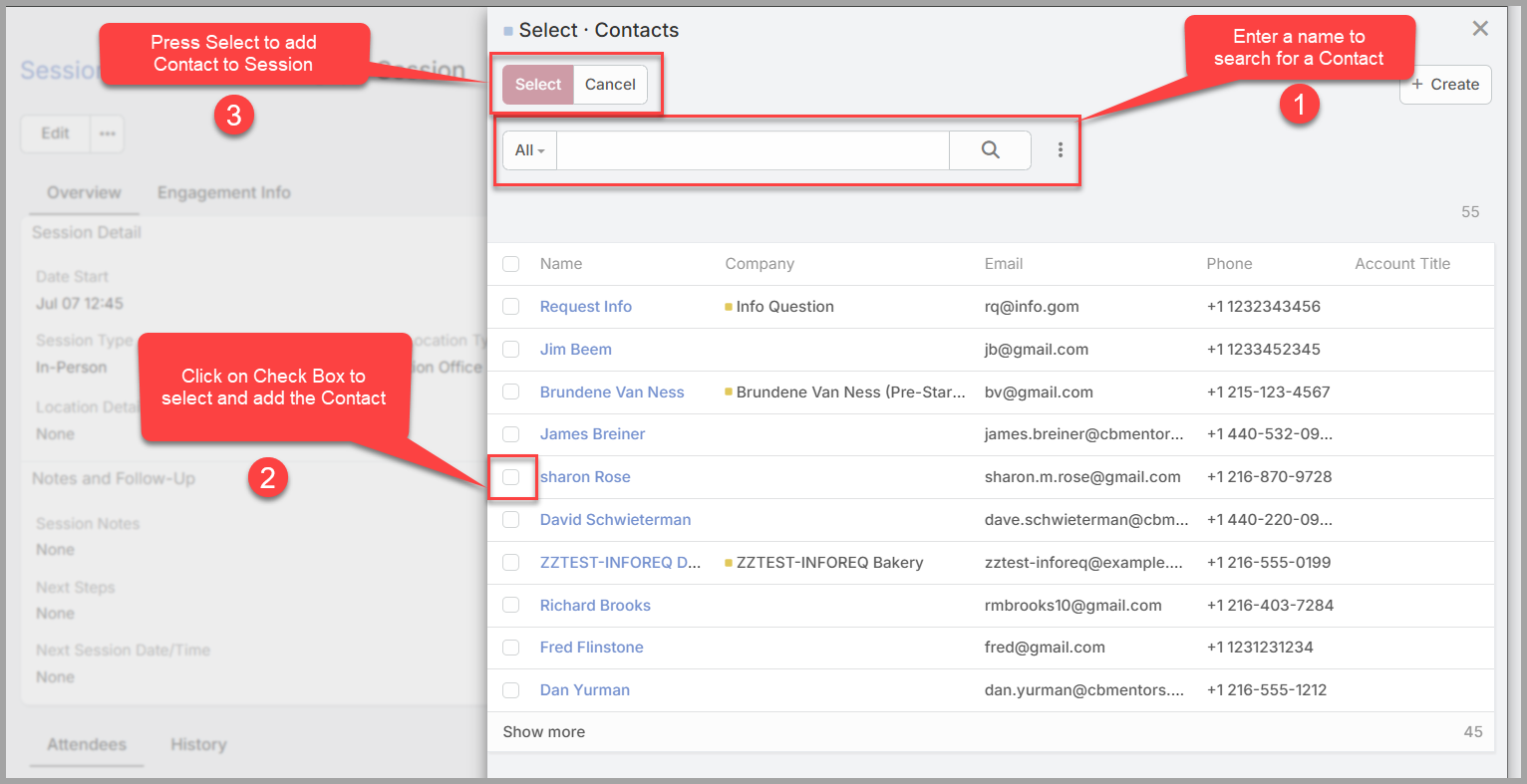
After a session is created, you can add the attendees to the session using the following steps:
-
Open the Session Details screen.
- Click the “…” button to select from existing outside CBM contacts.
- If the outside CBM contact does not exist, click on the “+” button to create a new contact and add them as an attended.
- Only do this if you have not added the contact previously. Otherwise, it will create a duplicate contact.
- Only do this if you have not added the contact previously. Otherwise, it will create a duplicate contact.