Adding Attendees to a Session
After a session is created, you can add the attendees to the session using the following steps:
-
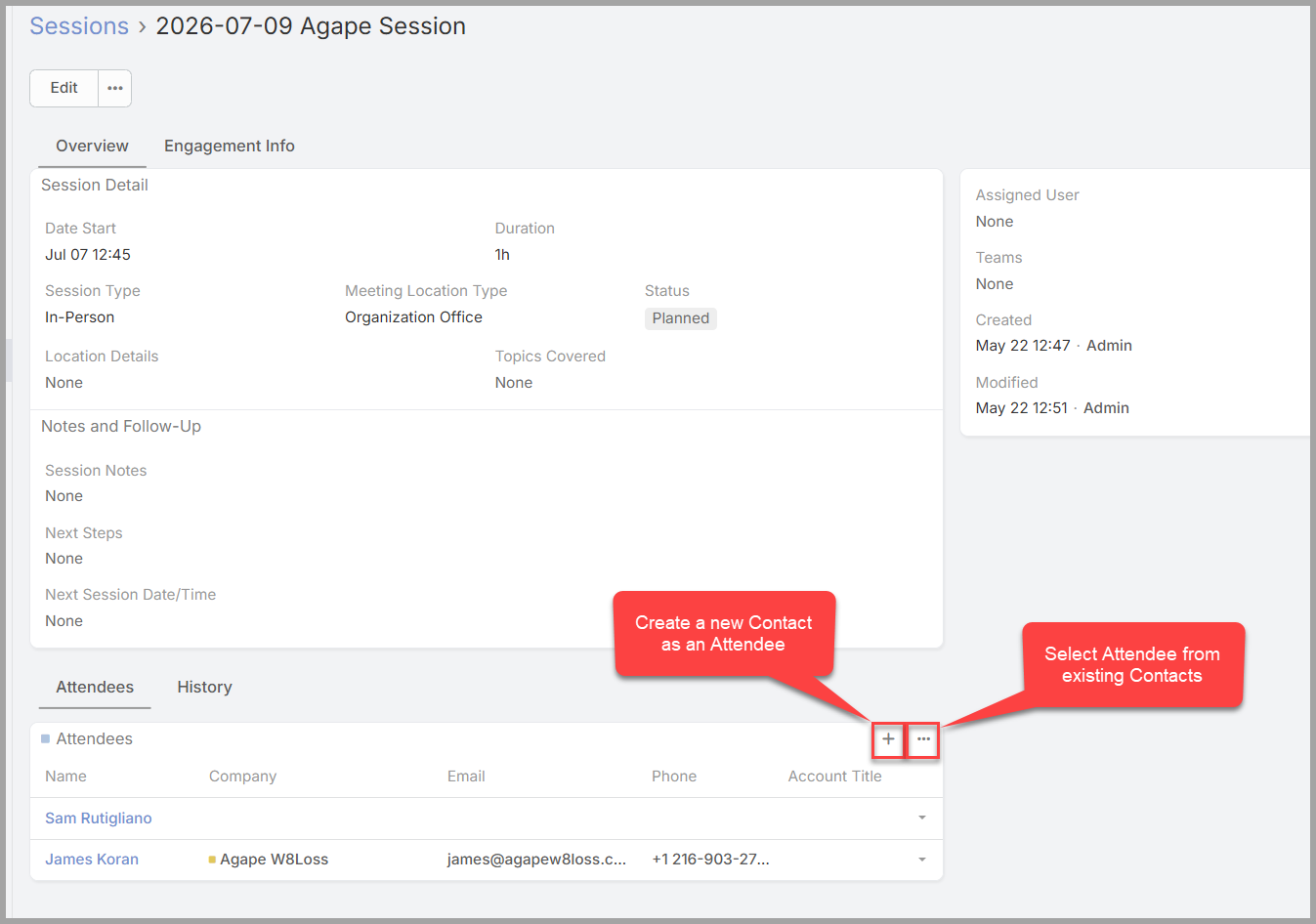
Open the Session Details screen.
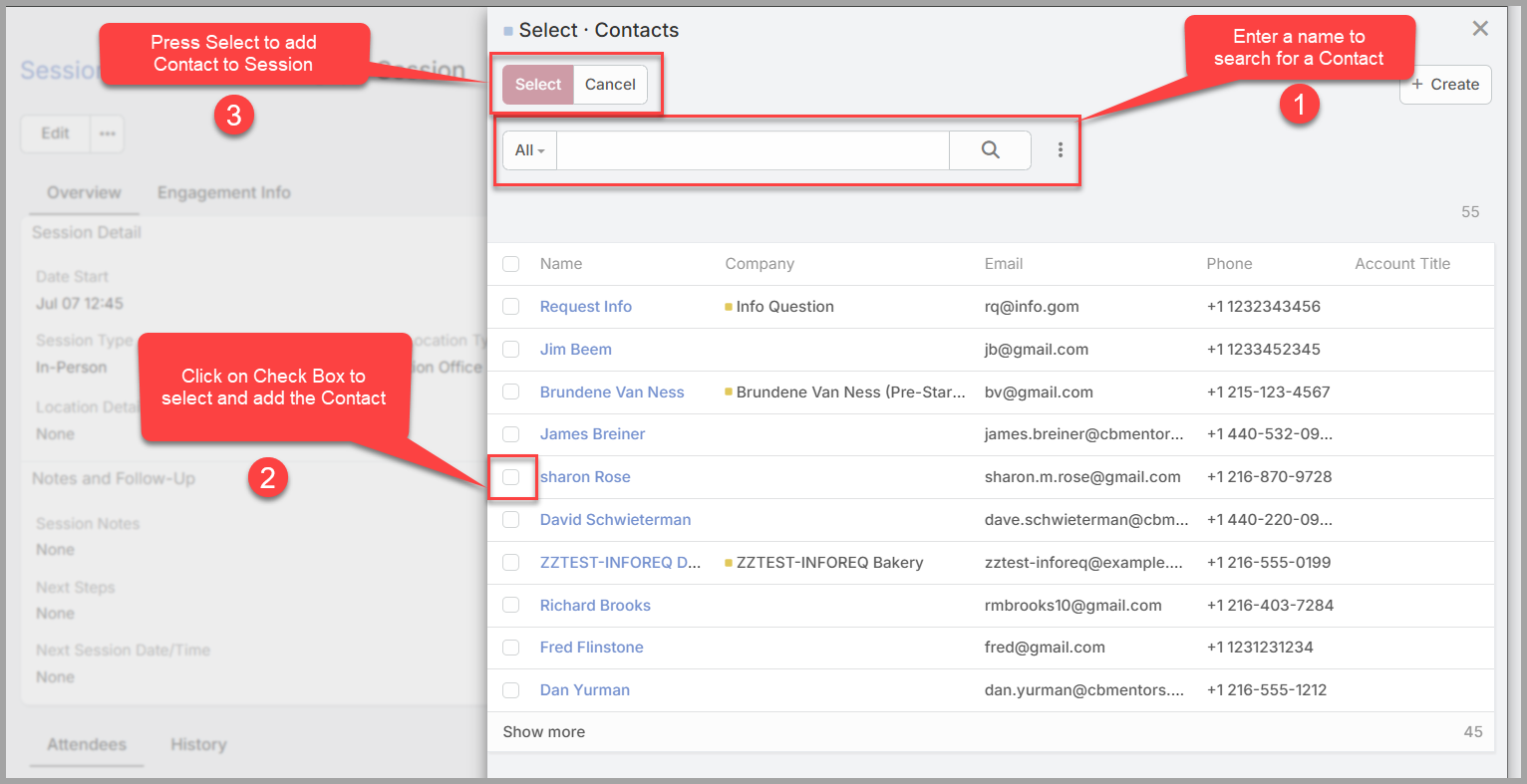
- Click the “…” button to select from existing outside CBM contacts.
- If the outside CBM contact does not exist, click on the “+” button to create a new contact and add them as attended.
- Only do this if you have not added the contact previously. Otherwise, it will create a duplicate contact.
- Only do this if you have not added the contact previously. Otherwise, it will create a duplicate contact.
- To add co-mentors, send a note to clientservices@cbmentors.org to request co-mentors be added to your session. Include in your email:
- The names of the co-mentors you would like added to your session.
- The actual session name: e.g., 26-06-23 - xChristopher Westfall — Intake 2026-06-01
- The URL in the address bar at top of your browser: e.g.
https://crm-test.clevelandbusinessmentors.org/#CSession/view/6a3b3949c7f26d9c2 - NOTE: the above are links from the test environment, you will not have the word test in your URL.