
Updating Your Profle
The My Mentor Profile application includes all the information and photo that will appear on the CBM website. You must complete this application before your volunteer status can be changed from Approved to Active.
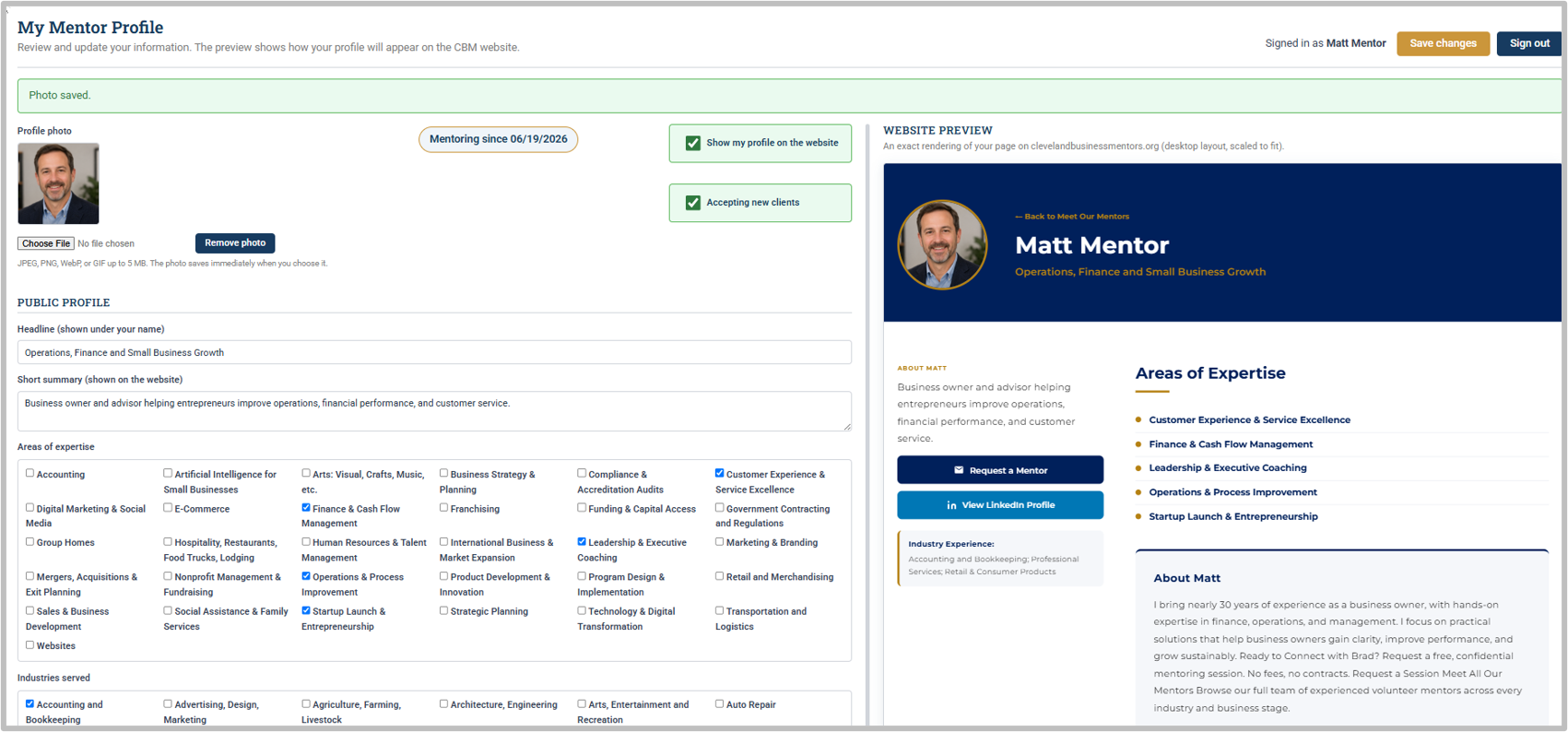
The page is divided into two side-by-side sections:
- Left side – Profile Information: This section contains the information that will appear on the CBM website. Some fields require you to enter text, while others provide a list of pre-set choices.
- Right side – Website Preview: This section shows exactly how your mentor profile will appear on the CBM website. The preview is updated in real time, so you can watch your profile take shape as you complete the application.
About You
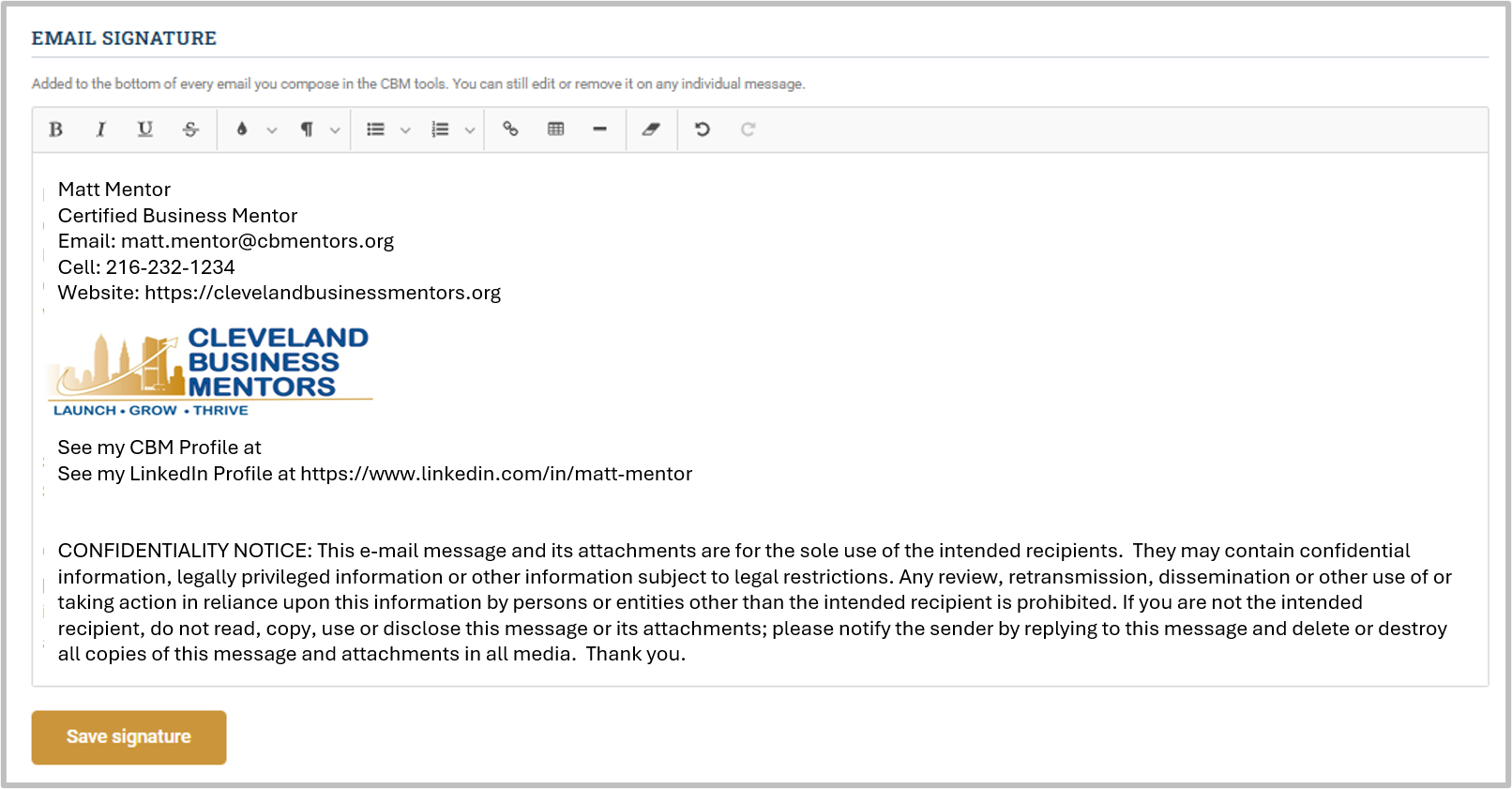
Email Signature - entering your email signature at the bottom of the profile will automatically add your signature to all outgoing emails you send through CONTACT. See https://docs.google.com/document/d/1euSg9fd_haifUSHYHUbKzkOGu0LHI2jd for the approved email signature format.
The aboutAbout youYou section is one of the most important becauseparts itof describesyour profile. This is where you describe who you are, your experience, and the mentoring services you can provide.provide; how Thisyou textcan needshelp your clients.
Your description should be clear, concise, and easy to beread.
If you are transitioning from SCORE, weSCORE:
We recommend you copycopying your existing SCORE mentor profile and pastepasting it into thisthe About You section. You can then edit and update it as needed.
If you are not transitioning from SCORE, weSCORE:
We recommend youfirst reviewreviewing the profiles of other volunteerCBM profilesmentors. firstYou can find them at the bottom of the Meet Our Mentors page on the CBM website,website. thenUse writethese profiles as examples when writing your own.
Once Useyou have drafted your profile, we recommend using an AI appwriting tool to review and improve itthe wording, clarity, and readability before finalizing it onin thisCONTACT.
Your coach will also review it as well before updating your profile. Once the profile has been completed and approved, your volunteer status can be updated from Approved to Active.Active.
Email Signature
At the bottom of the profile, you can enter your email signature. Once entered, your signature will automatically be added to all outgoing emails you send through CONTACT.
Please use our approved CBM email signature format.
Please continue to complete your contact information including city, state, etc.