
Adding Attendees to a Session.
After a session is created, you can add the attendees to the session using the following steps:
-
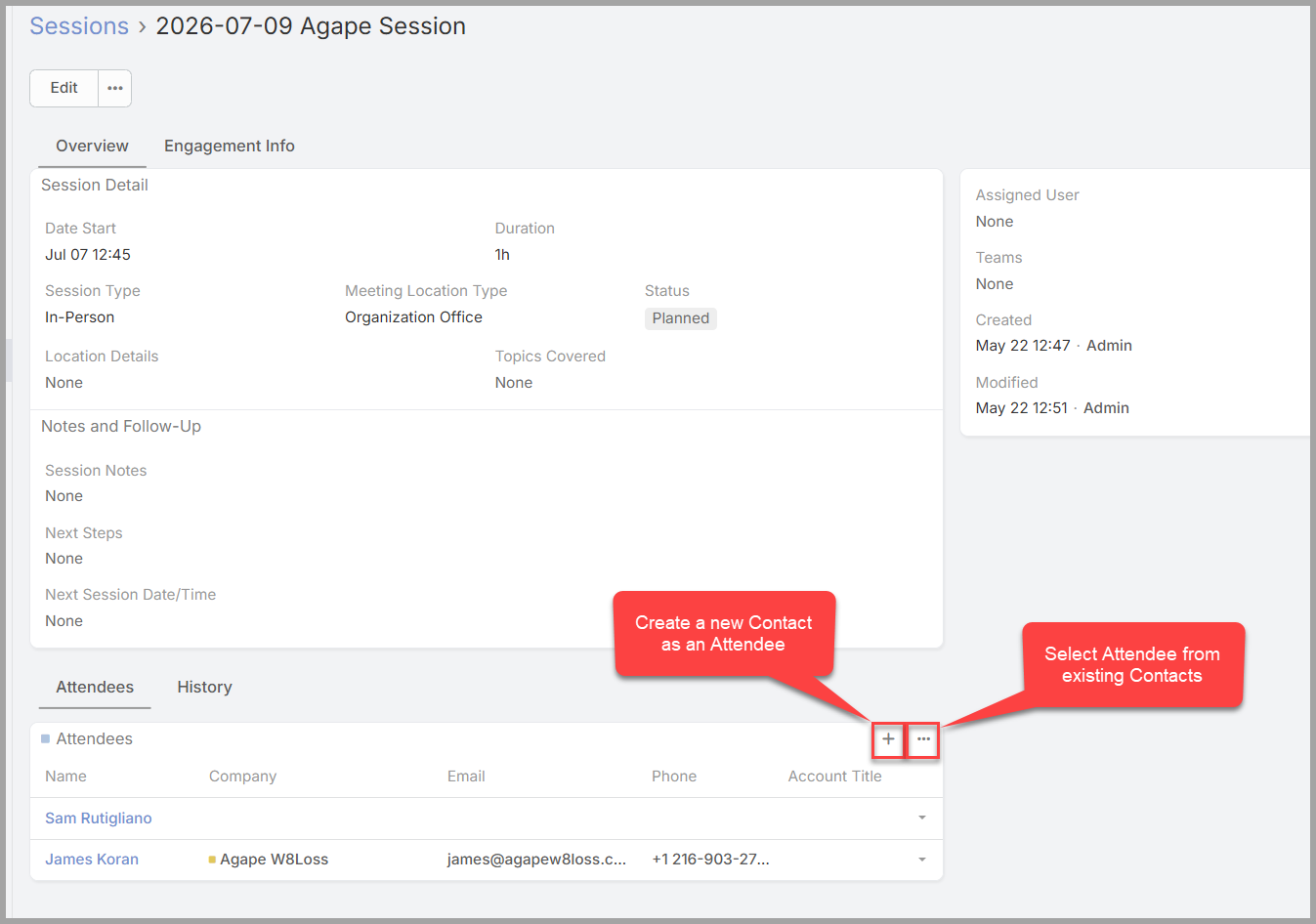
Open the Session Details screen.
- Click on the “+” button to create a new contact and add them as an attended.
-
Only do this if you have not added the contact previously. Otherwise, it will create a duplicate contact.
-
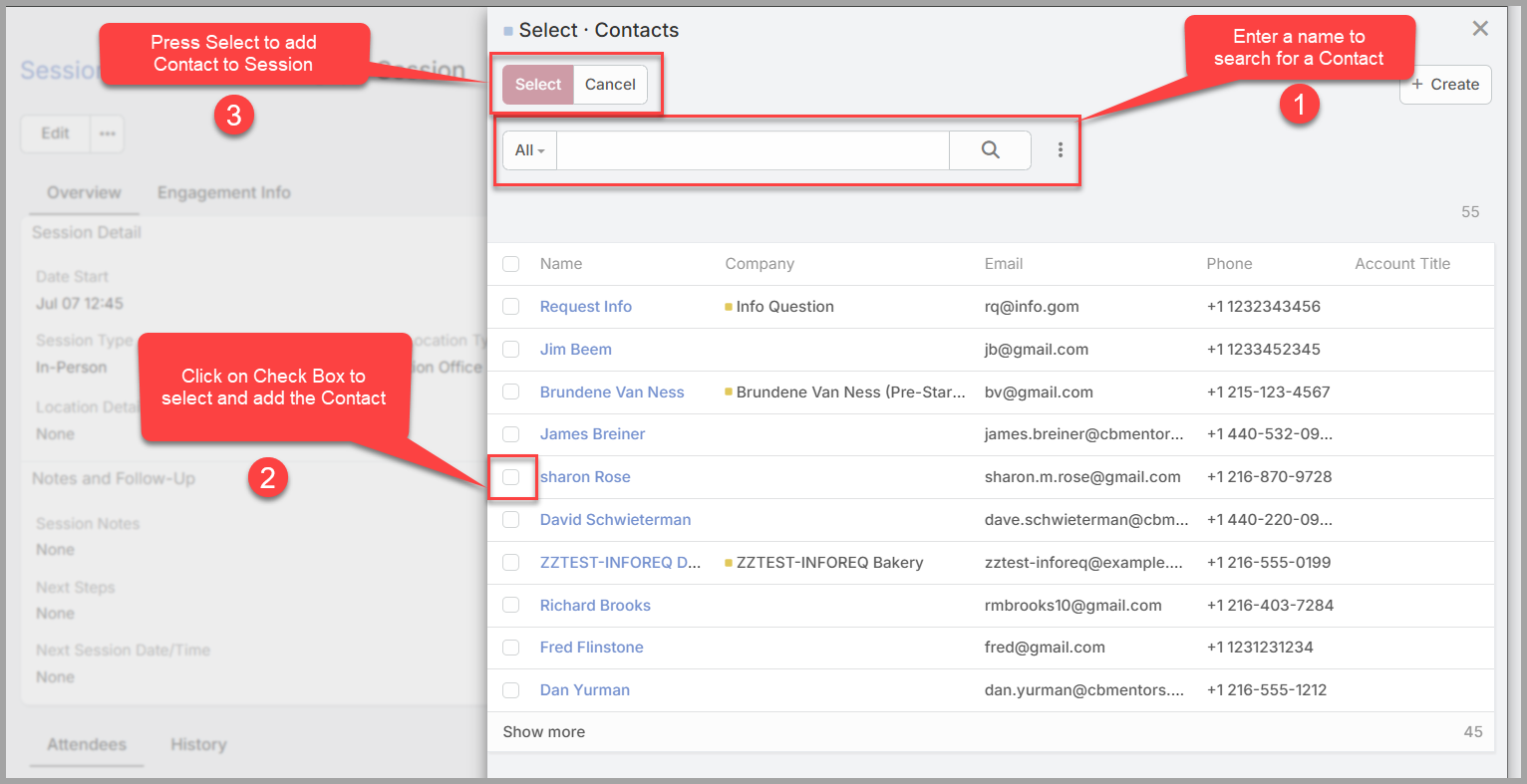
Click on the “…” button to select from existing contacts.
No comments to display
No comments to display